
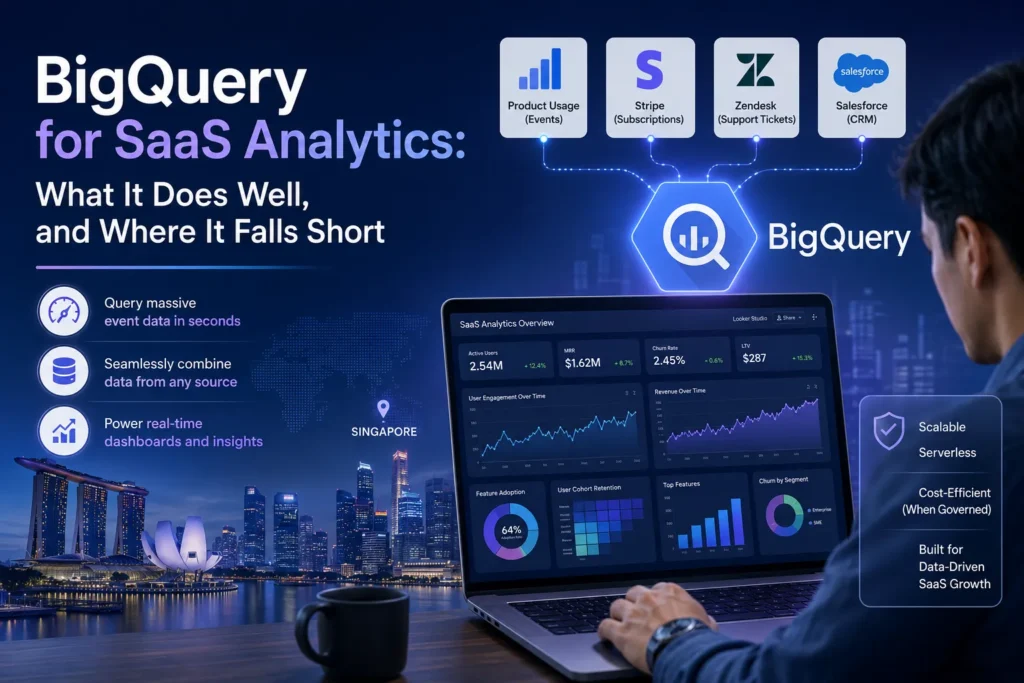
A Singapore SaaS company’s product team wants to understand why enterprise-tier customers are churning at a higher rate than SME-tier customers. The answer requires combining product usage data from their event tracking system, subscription data from Stripe, support ticket data from Zendesk, and CRM data from Salesforce. Their analyst spends three days exporting CSVs, joining them in Excel, and producing an analysis that is outdated before it is presented. The CEO wants this kind of answer available on demand, not in three days.
They implement BigQuery. Several things get dramatically better immediately. Product usage data that previously lived in isolated event logs is queryable in seconds. Cross-source joins that took days in Excel run in minutes. Looker Studio connects directly and the dashboards update automatically. Then the first unexpected billing alert arrives, and the conversation about query governance begins.
BigQuery is a genuinely excellent tool for SaaS analytics in the right configuration. It is also widely misconfigured in ways that create cost problems, performance issues, and architectural debt that becomes expensive to unwind. This article covers what BigQuery was built for, where it struggles, and the decisions that determine whether it becomes a reliable analytics foundation or an ongoing source of operational friction. It draws on the approach used by Engine Analytics, a data analytics company in Singapore that designs and builds BigQuery-based analytics environments for SaaS and eCommerce businesses.
BigQuery’s appeal for SaaS analytics starts with its data model. SaaS businesses generate event-heavy data — user sessions, feature interactions, API calls, product usage logs — and BigQuery was built to handle exactly this kind of high-volume, semi-structured data at scale. Native support for nested and repeated fields means that JSON event payloads can be queried without flattening, which matters when your event data has hundreds of properties and you want to query specific ones without restructuring the entire table.
The serverless architecture removes a significant operational burden. There are no clusters to provision, no indexes to maintain, and no query planning that falls on the analytics team. You write standard SQL and BigQuery handles the execution. For businesses that want analytical power without dedicated data infrastructure engineering, this is a meaningful advantage over alternatives that require cluster management.
The Google ecosystem integration also matters. GA4’s native BigQuery export lands raw, unsampled event data into BigQuery at no additional cost — which immediately solves the sampling problem that makes direct GA4 reporting unreliable at scale. Looker Studio connects natively, removing the need for intermediate connectors. And for SaaS businesses already running on Google Cloud, BigQuery fits into an existing security and governance model. The foundational data engineering principles that make this architecture work are covered in detail in the piece on what data engineering means for business leaders.
Event-scale data handling is BigQuery’s clearest strength. A SaaS business generating tens of millions of product interaction events per day can query that data in seconds without any pre-aggregation. This is not the case for most relational databases, which slow dramatically as event tables grow. For product analytics use cases — funnel analysis, feature adoption rates, session reconstruction, cohort retention — BigQuery handles the query patterns that matter most without performance degradation.
Table partitioning and clustering give analytics teams precise control over query costs and speed. Partitioning by date means queries that filter to a recent time range only scan the relevant partitions rather than the full table. Clustering on high-cardinality dimensions like user ID or product ID further reduces the data scanned per query. These features, applied correctly from the start, can reduce query costs by an order of magnitude compared to unoptimised table designs.
Scheduled queries, materialised views, and BigQuery’s integration with orchestration tools make it straightforward to build automated reporting pipelines that run without manual intervention. Combined with Looker Studio or a more capable BI tool, the result is a reporting layer that updates automatically and can handle the kind of real-time data needs that most SaaS analytics teams eventually require. The piece on real-time analytics covers the infrastructure considerations involved when data freshness becomes a critical requirement.
Cost unpredictability is the most common problem for teams that implement BigQuery without governance in place. BigQuery charges by the amount of data scanned per query in the on-demand pricing model. An analyst writing an unoptimised query that scans a large, unpartitioned table can generate a bill in a single query that exceeds what the team expected to spend in a month. This is not a theoretical risk — it is the experience of a significant portion of teams that move to BigQuery without establishing query cost controls from the outset.
BigQuery is an OLAP system, not an OLTP system. It was designed for analytical queries across large datasets, not for transactional workloads that require low-latency reads and writes at the individual record level. SaaS businesses that try to use BigQuery as a real-time operational database — powering product features directly, for example — encounter latency and concurrency constraints that make it unsuitable for that use case. The right architecture uses BigQuery as the analytical layer and keeps operational databases separate.
The free tier, while genuinely useful for evaluation, does not represent production costs accurately for most businesses. Teams that evaluate BigQuery on small datasets and limited query volumes consistently underestimate what their costs will look like once the full event stream is flowing and multiple analysts are running exploratory queries simultaneously. Building cost estimation into the architecture design phase — rather than discovering it at the first billing cycle — is essential.
Project and dataset structure is a decision that is easy to get wrong early and expensive to restructure later. A well-organised BigQuery environment separates raw data (exactly as it arrives from source systems), staging or transformed data (cleaned and standardised), and mart or reporting tables (purpose-built for specific analytical questions) into distinct datasets with clear naming conventions. Teams that dump everything into a single dataset and rely on table naming to create structure find that the environment becomes increasingly difficult to navigate and govern as it grows.
Access control needs to be designed from the start, not added after the fact. BigQuery supports column-level and row-level security, which matters for SaaS businesses that need to control which teams or users can see which customer data. Applying IAM roles at the dataset and table level ensures that analysts can query what they need without having access to data they should not see. Retrospectively applying access controls to an environment that was built without them is a significant project that disrupts ongoing analytics work.
Query cost controls — custom quotas per user or service account, BI Engine for dashboard query caching, and cost assignment for monitoring spend by team or project — should be implemented before access is opened to a wider group of analysts. The moment multiple people are running queries against production data, uncontrolled query costs become a real risk. These operational considerations are part of what distinguishes analytics infrastructure that scales from analytics infrastructure that becomes a maintenance burden. The article on data-driven decision-making with business intelligence covers how the reporting layer built on top of this infrastructure should be structured to serve different analytical audiences effectively.
Whether you are evaluating BigQuery for the first time or working to fix an existing environment that has accumulated architectural debt, the decisions that matter most are the foundational ones: dataset structure, partitioning strategy, access control, and cost governance. View our data and AI services, explore our project portfolio, or get in touch and we can review your current BigQuery setup and map out what needs to change.
Engine Analytics is a data analytics company in Singapore that designs and implements BigQuery analytics environments for SaaS and eCommerce businesses — from raw data ingestion through to governed reporting layers that analysts and leadership teams can both rely on.
Yes, if you implement partitioning, clustering, and query cost controls from the start. The on-demand pricing model means you only pay for what you query, which suits variable workloads. The risk is unoptimised queries scanning large tables unexpectedly. With basic governance in place, BigQuery is one of the most cost-efficient analytical platforms available at any stage.
Yes — it is one of the best pairings available. Looker Studio connects natively to BigQuery, queries run against pre-aggregated mart tables rather than raw data, and BI Engine caching keeps dashboard loads fast without incurring repeated full query costs. This combination outperforms direct connector setups on performance, cost, and data accuracy.
Yes. We design the dataset structure, build the ingestion and transformation pipelines, configure access controls and cost governance, and connect BigQuery to your reporting layer. We also offer ongoing management through our engagement plans. Get in touch via the Engine Analytics contact page to discuss your current analytics stack.
— Engine Analytics | Singapore’s data and AI consultancy — building the BigQuery analytics environments that give SaaS businesses the cross-source visibility their product and commercial teams need.
